Invoices
You can find all your invoices on the Billing page in the dashboard.
Viewing invoices
On the Billing page you'll see a summary:
- Total number of invoices
- Open balance
- Kamu Balance: balance status, top-ups, and consumption history
- Active subscriptions and their prices
- A list of all invoices
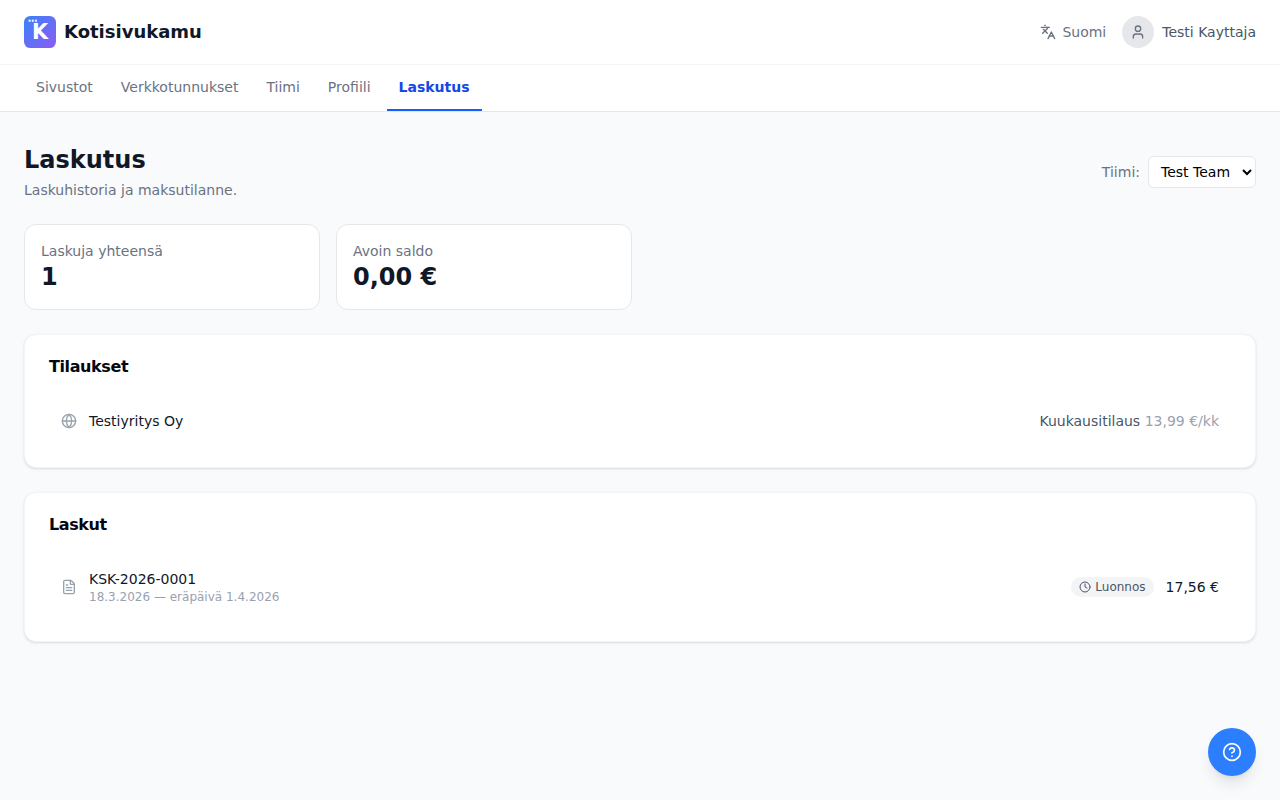
For each invoice you can see:
- Invoice number (e.g., KSK-2026-0001)
- Invoice date and due date
- Amount
- Status (draft / sent / paid / overdue)
Click an invoice to open it and see the itemized invoice lines. Invoices and Kamu Balance top-up receipts can also be downloaded as PDF files.
Paying
An open invoice can be paid in two ways:
- Via online banking: you receive the invoice by email and pay it with the invoice details in your online bank.
- By card: press Pay by card next to the invoice. Payment is made via Stripe, and the invoice is marked paid as soon as the payment is confirmed.
Kamu Balance
The Billing page is also where you manage your Kamu Balance:
- The Kamu Balance card shows the total balance, the monthly and topped-up portions, and the latest events.
- The Top up Kamu Balance button lets you buy more balance by card.
- The Consumption section shows what the balance has been spent on. You can filter by date range and export the rows to a CSV file.
Updating billing details
Billing details (company name, business ID, address) are managed from the Team page. Update there:
- Account type (business / individual)
- Official company name
- Business ID
- Address, postal code, and city
You can also choose the team's country (Finland or other).
Choosing a team
If you belong to multiple teams, you can switch teams from the top right corner of the billing page. Invoices and Kamu Balance are shown per team.