Subscriptions
Each site has its own plan. The options are a free trial and the paid Lite and Pro plans.
Trial period
The trial is free and does not require a payment card. During the trial:
- The site is available at
{site}.kskamu.app - You can edit the site normally. AI edits use Kamu Balance, and you can use the welcome balance for them.
- Connecting your own domain is not possible
The trial is valid for 30 days from the last edit. The period is extended whenever the site is built or edited or you top up Kamu Balance. You get an email reminder 7 and 2 days before the trial ends.
When the trial ends, the site is taken offline. The site and its content are kept for another 90 days, and you get a notice before permanent deletion. During that time you can restore the site by ordering a plan, and it comes back at the same address.
One user can create up to 5 trial sites. After that, a new site is created directly on the Pro plan.
Plan options
| Lite | Pro, monthly | Pro, yearly | |
|---|---|---|---|
| Price (excl. VAT) | 3.90 €/mo | 13.99 €/mo | 9.99 €/mo |
| Billing | 46.80 € per year | monthly | 119.88 € per year |
| Monthly Kamu Balance | no | 10 € | 10 € |
VAT of 25.5% is added to plan prices. On the order page you can switch the prices between excluding and including VAT.
What's included
All paid plans include:
- Hosting and maintenance
- SSL certificate (HTTPS)
- Contact form and other forms
- Cookie-free visitor analytics
- Custom domain connection
- The free blog and text editors
AI edits and site updates are charged to Kamu Balance on every plan. The Pro plan includes 10 € of Kamu Balance every month. Lite suits a site that is updated rarely; balance for its edits is topped up separately. A domain is not included in the plan; it is ordered and invoiced separately.
Ordering a plan
When the site is ready to go live, open the Take the site into use order page. You get there from the site overview, through connecting a domain, or from the page of an ended trial (Order a plan).
- Domain: search for and choose a new domain, or continue without one if you already have your own domain or don't need one yet. You can connect your own domain later.
- Plan: choose Lite, Pro (monthly or yearly billing), or the trial. With Lite and the trial you can top up Kamu Balance at the same time.
- Payment: review the order and save a payment card. Saving the card does not charge anything by itself.
The order is confirmed right away. It produces a single invoice, charged to the card you saved, usually within a few minutes. New domains are registered once the invoice is paid. You can find the invoice in the Invoices section.
If invoicing without a card has been agreed for your team, no card is asked for. You then get an invoice with a 14-day payment term, and domains are registered once it is paid.
Managing your subscription
You can see the site's plan and price on the site's Settings page under Subscription. From there you can also go to the Billing page, whose Subscriptions section lists all of the team's sites with their plans.
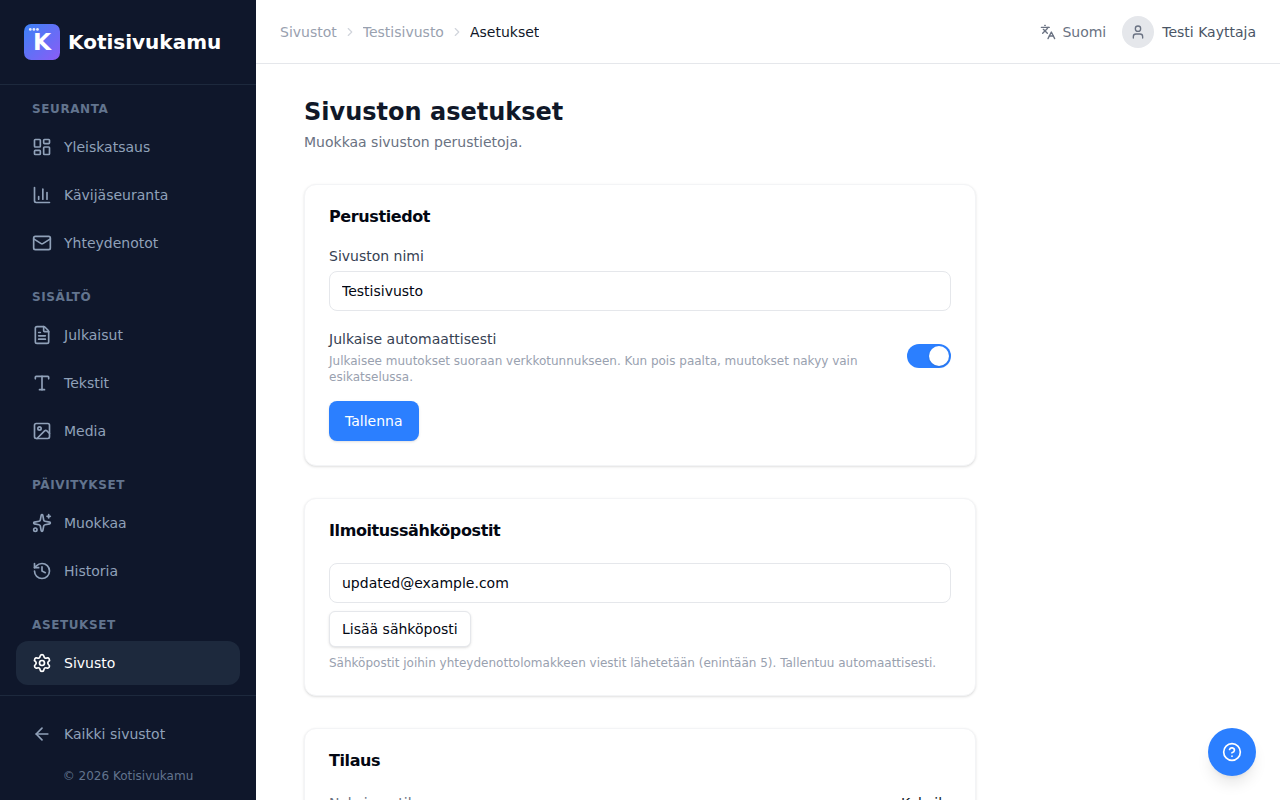
To switch from one paid plan to another, for example from monthly to yearly billing, contact customer support.
Cancelling a subscription
Press Cancel subscription under Subscription in the site settings and confirm with Send a cancellation request. The request goes to customer support, who will contact you to process the cancellation.
Deleting a site
You can delete a site entirely from the site settings under Delete site. After deletion, the site can be recovered within 7 days. After that, the site and all its data are permanently deleted.