Text editing
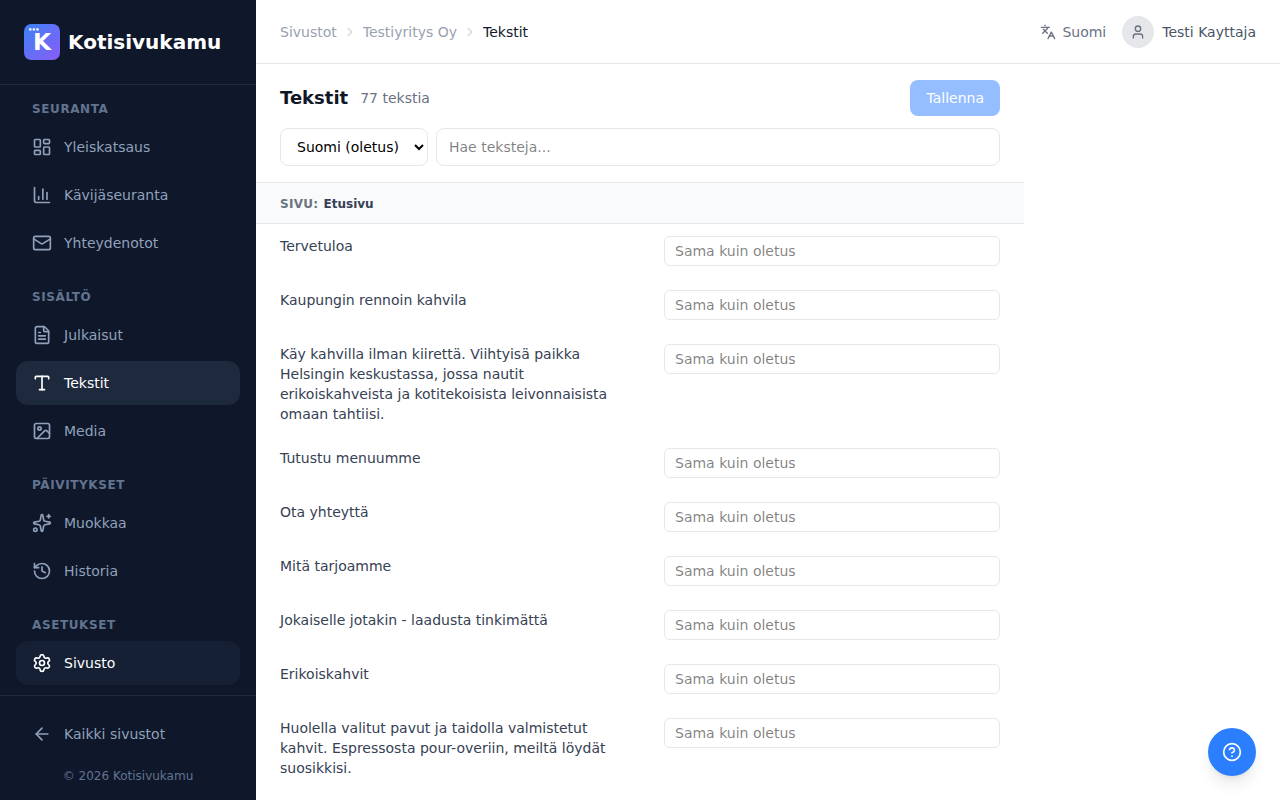
From the Texts page you can edit all your site's texts directly without the chat tool. This is a quick way to make small changes like fixing typos or updating contact details.
How does it work?
- Open your site in the dashboard
- Go to the Texts page
- Find the text you want to edit. Texts are organized by page
- Type the new text in the right-hand field
- Click Save
Search
You can filter texts using the search field. This is handy when the site has many texts and you want to find a specific section quickly.
Multilingual support
If the site supports multiple languages, you can switch languages from the dropdown at the top of the page. You can set separate texts for each language. If a field is left empty, the default language text is used.
When to use the text editor vs. chat?
| Text editor | Chat tool |
|---|---|
| Quick small changes | Larger changes |
| Fixing typos | New pages or sections |
| Updating contact details | Design changes |
| Precise text changes | Replacing images |