Notifications
Kotisivukamu notifies you about important events in several ways. You can choose which notifications you want to receive and how.
Notification channels
Email
You receive email notifications in two situations:
- Contact requests: when someone sends a message through your site's contact form. The notification is sent to the site's notification emails (configured in site settings).
- Deployments: when a site deployment succeeds or fails. The notification is sent to your account email address.
Browser push notifications
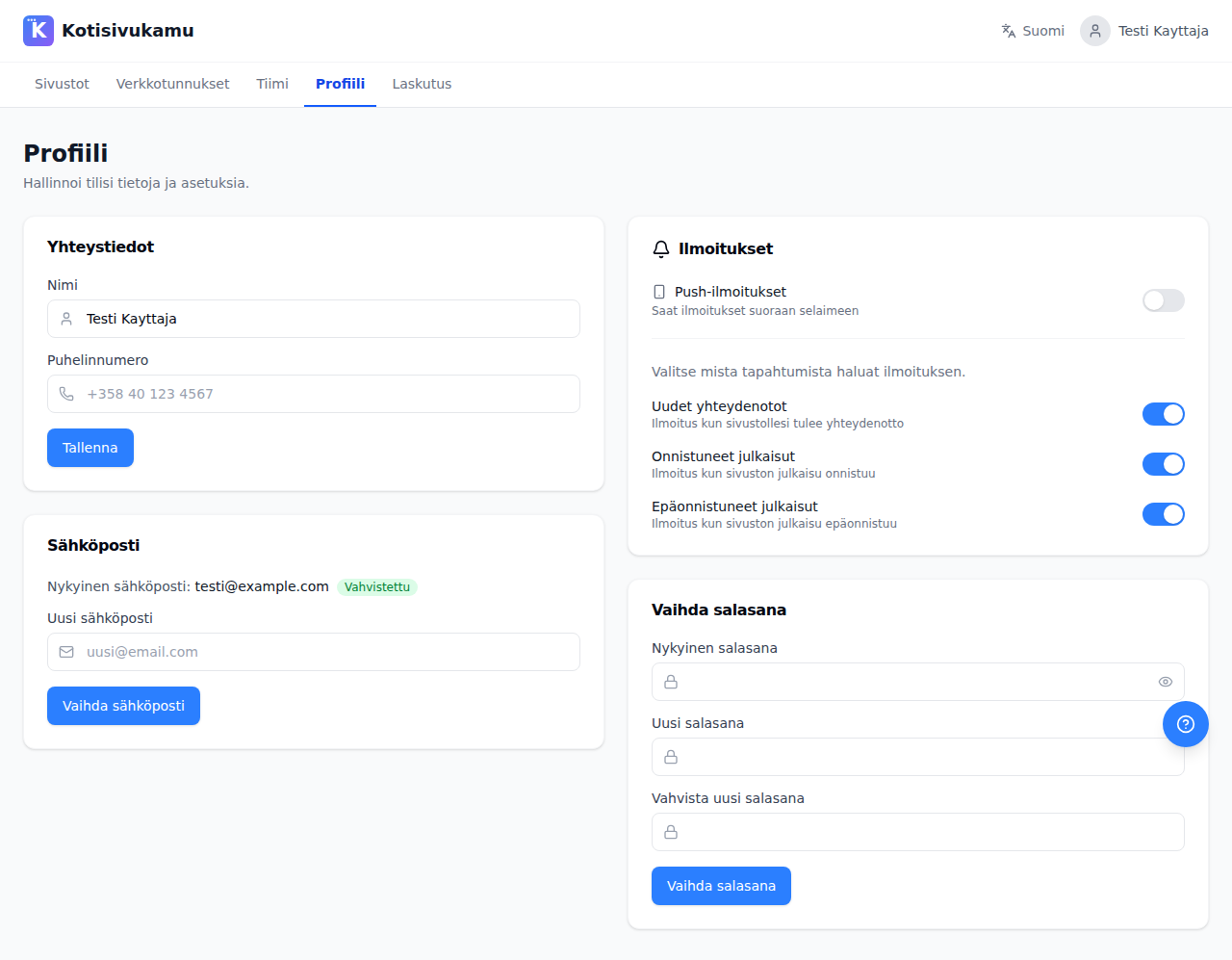
Push notifications come directly to your browser, even when the dashboard is not open. You can choose which notifications you want to receive:
- New contact requests: notification when your site receives a contact request
- Successful deployments: notification when a site deployment succeeds
- Failed deployments: notification when a site deployment fails
Push notifications are enabled from the Profile page.
WhatsApp
If you started a site edit via WhatsApp, you'll receive a notification on WhatsApp when the change is complete or fails.
Your own systems (webhook)
Form submissions can also be sent automatically to your own system, such as a CRM. This is set up on the site's Integrations page. Read more: Integrations
Notification settings
Notification emails (contact requests)
Messages from the site's contact form are sent to notification emails. These are configured per site:
- Open the site's Settings page
- Under Notification emails, add the email addresses where you want to receive notifications
- You can add up to 5 email addresses
- Changes are saved automatically
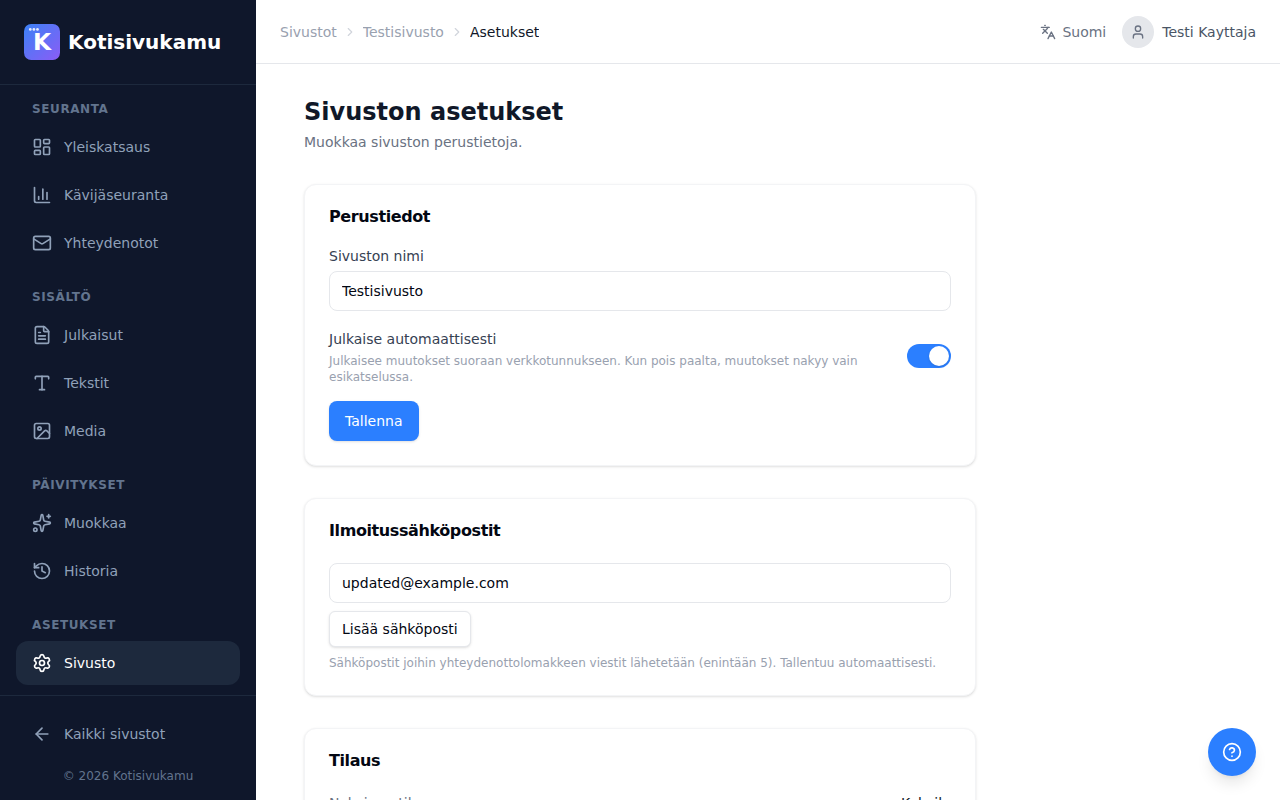
Notification emails are site-specific. If you have multiple sites, remember to set the emails for each site separately.
Push notifications
Push notifications are enabled from profile settings:
- Go to the Profile page
- Enable Push notifications
- The browser will ask for permission to send notifications. Accept the request
- Choose which notifications you want to receive (contact requests, successful deployments, failed deployments)