Creating your first website
Filling in site details
Once you're logged into the dashboard, click Create site. You'll be asked for the following information:
Site details
- Team: choose which team the site belongs to
- Site name: your company name (e.g., "Smith Construction")
- Existing website or new site: if you already have a website, we can use it as a starting point. Otherwise, select "I want to create a new site"
- Change requests: let us know if you want any changes compared to your current site
Contact details
- Email: your company email address
- Phone: your company phone number
- Address: your company address
Google visibility (optional)
- Business type: helps Google categorize your business correctly (e.g., Restaurant, Dentist)
- Opening hours: displayed in Google search results
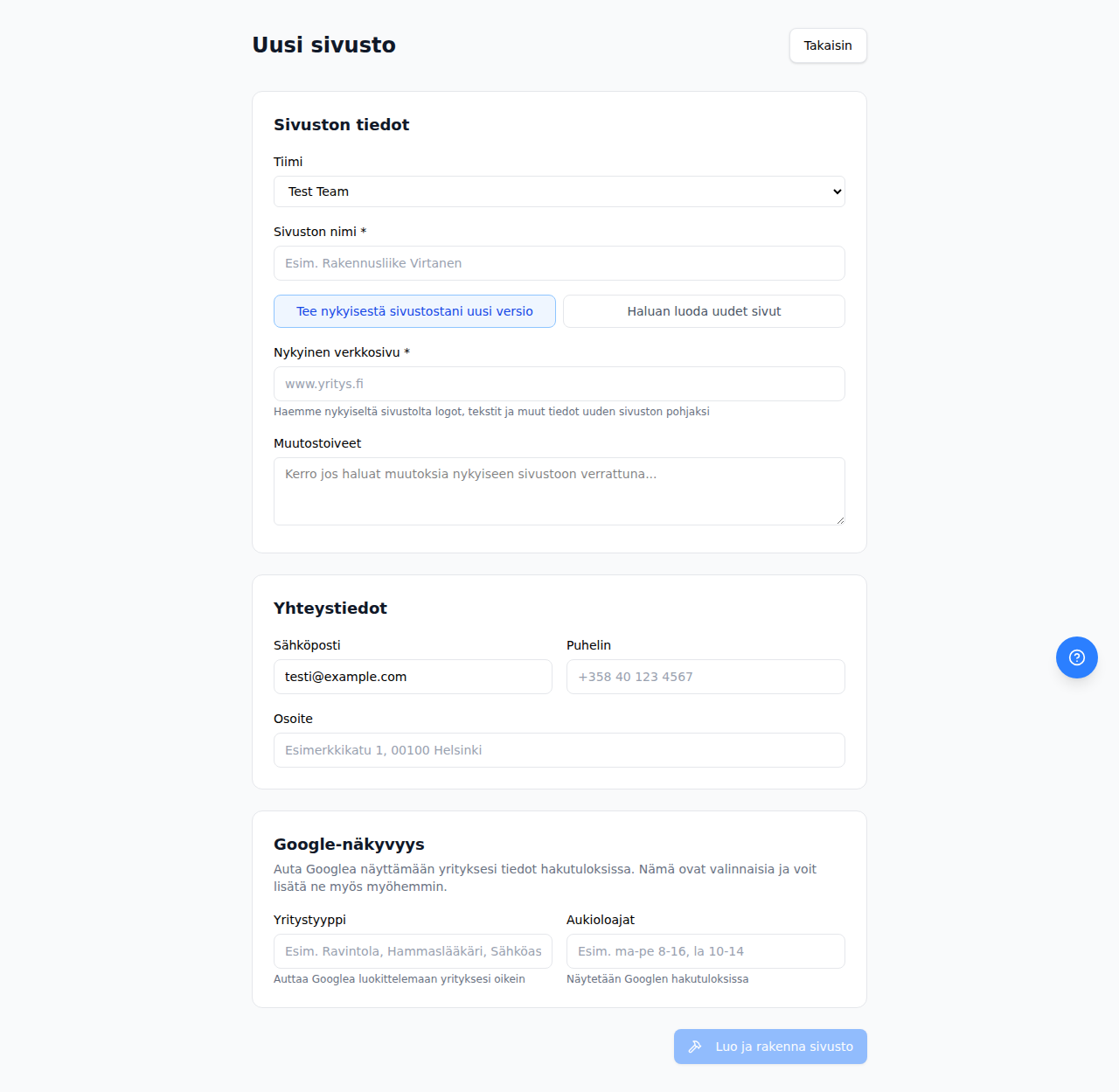
Click Create and build site when you've filled in the details.
Building the site
After you submit the details, the AI builds the site automatically. Building usually takes 20-30 minutes. You can follow the progress in the dashboard in real time.
During the build, the AI:
- Studies your business and any existing website
- Plans the site structure and content
- Builds the technical framework
- Produces texts, selects images, and designs the layout
- Tests the site for quality and functionality
Monitoring the build
The site updates step by step during the build process. Once building starts, the site becomes visible at {site}.kskamu.app. You can visit the page and watch the build progress in real time, seeing the site take shape stage by stage.
You can open the site directly from the dashboard using the Open site button.
Requesting changes
If you want changes to the site, you can request them directly from the dashboard. Go to Updates → Assistant in the site sidebar and describe what you want to change. The AI will make the changes for you. Updates are usually completed in 15-20 minutes.
Read more: Edit via chat